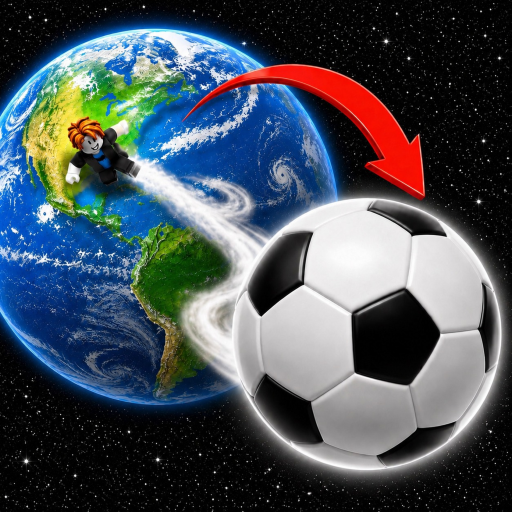
Kick Ball to Space Gameplay Guide: Start, Kick, Upgrade
This Kick Ball to Space gameplay guide explains the confirmed click, Power, kick, Ball, and soccer Legend loop, plus what to verify before spending resources.
Kick Ball to Space is an incremental Roblox game built around a short loop: click for Power, kick the Ball, collect the result, then shop for better Balls and soccer Legends. Learn that loop first and you can make sensible progress without trusting made-up prices, secret multipliers, or platform-specific controls.
Evidence note: The core loop, Power action, two upgrade families, and two World 1 sky milestones are confirmed. Exact earnings, currency names, costs, controller buttons, and the distance formula are not confirmed in the available official material.
The five-step gameplay loop
The official description gives a clean order. Treat it as your reset point whenever the interface feels busy:
- Click to earn Power. Power is the one named training stat in the official instructions.
- Kick the Ball. This converts your training phase into the main action, although the exact calculation is not published.
- Collect the result. The description says to “get rich,” but it does not name the currency in the archived copy.
- Buy better Balls. A Ball is a confirmed purchase family; individual names, prices, and stat lines can change or remain undisclosed.
- Buy soccer Legends. Legends are the other confirmed purchase family. Their roster and effects need an in-game check.
| Stage | Confirmed purpose | Live-game check |
|---|---|---|
| Train | Click to earn Power | Find the current click or tap control and watch the Power display |
| Kick | Kick the Ball | Observe the current kick prompt and result |
| Earn | Progress toward purchases | Read the current currency label and amount; its name is not confirmed here |
| Upgrade Ball | Buy better Balls | Compare the displayed cost and effect before buying |
| Add Legends | Buy soccer Legends | Check the current Legend name, price, and stated benefit |
This table is deliberately about decisions, not invented numbers. If a guide gives you an exact “best” purchase without showing the current in-game panel, pause before following it.
The video below is a community play session, useful for seeing the game’s rapid train-and-kick rhythm. Use it as interface orientation rather than as proof of any price, Ball name, or optimal strategy.
Start your first cycle cleanly
Begin with the Power action the current interface presents. On desktop that may be a clickable control; on mobile it may be a tap target. A PS4 or console player should follow the live Roblox button prompt because the archived official instructions do not document a controller mapping.
Do not remain in the training phase forever. The loop only becomes understandable once you make a kick and see which visible resource or progress display changes. Your first cycle is a diagnostic pass:
- note the Power value before training;
- add a small, easy-to-track amount of Power;
- kick once;
- watch which displays change;
- open the Ball and Legend purchase areas;
- read current costs and stated effects before committing resources.
That process gives you current information without pretending the formula is known. It also protects console players from copying a keyboard instruction that may not match their device.
Use the documented Power benefits
Two Power benefits are explicitly advertised. Playing with friends gives +5% Power per friend, and Roblox Premium gives +10% Power. These percentages are documented; a cap on the friend benefit is not. Check the current server UI before calculating a large party total.
If friends are already joining, take advantage of the advertised benefit while you train. Premium players should verify that the live interface recognizes their account benefit. Neither boost replaces the core loop: you still train, kick, earn, and decide whether a purchase is worthwhile.
The official developer group also advertises an exclusive Legend for joining. Use the verified Free Kick by Mook group, then return to the game and follow any current claim or refresh instruction. The archived source does not name that Legend or state its effect, so confirm both in the live inventory.
Decide between Balls and soccer Legends
The safe rule is to compare what the game shows now. Balls and soccer Legends are confirmed upgrade families, but the available evidence does not establish that one family always beats the other.
Before any purchase, ask three questions:
- What exact stat or outcome does the panel say will change?
- Is the cost small enough that you can continue the train-and-kick loop afterward?
- Does the purchase unlock something you can use immediately, or is it better saved for later?
Avoid relying on a fixed tier list until names, tiers, and values are independently current. The game’s official page says updates arrive every Saturday, so an old screenshot can become stale even when it once was accurate.
For a narrower buying reference, open the items guide. If you only want the clean early-session order and documented account benefits, use the beginner tips.
Read progression without guessing
World 1 is confirmed through official badge descriptions. Those descriptions identify a 1st Sky milestone followed by a 2nd Sky milestone. They do not publish the locations, unlock costs, or a complete sky list.
Use milestone language carefully. Reaching or completing a sky is evidence of progression, but it is not evidence of a particular required Power value. Check the World 1 skies guide for the confirmed order and a live-server verification checklist.
When your kick results stop producing obvious progress, return to the basic loop instead of searching for an exploit: train Power, review the currently offered Ball and Legend choices, make a controlled purchase, and compare the next result. The kick farther guide explains this legitimate troubleshooting process without claiming a hidden distance formula.
FAQ
What is the main goal in Kick Ball to Space?
The confirmed loop is to earn Power, kick the Ball, earn toward upgrades, and buy better Balls and soccer Legends. World 1 also has confirmed first- and second-sky completion milestones.
What are the controls on PS4 or console?
The official archived material only says to click for Power and kick the Ball; it does not publish console button mappings. Follow the prompts shown by the current Roblox client and verify them after updates.
Is there a confirmed best Ball or soccer Legend?
No complete current roster, price list, effect table, or ranking is confirmed in the available evidence. Compare the live shop panels and avoid tier lists that do not show a recent version check.
Does more Power guarantee a specific kick distance?
Power is the documented training stat, but the exact distance formula and thresholds are not published in the evidence used here. Treat any exact conversion as unverified unless the developer or live game shows it.